

It may be challenging for many organizations and professionals to stay on top of all the details required in running a business. And frequently, this has to do with attending multiple appointments.
Our Past Bookings Feature ought to help you if this is a problem for you.
CatchApp Bookings is a genius scheduling tool that lets you fire and forget your appointment worries. Customers simply click on your bookings link, and they’re ready to choose a time and date from your availability, cutting down the stress, and ultimately, the time it takes to set the appointment itself, leaving you with up to one month of freed-up time each year. If you’re liking the sound of that already, sign up here.
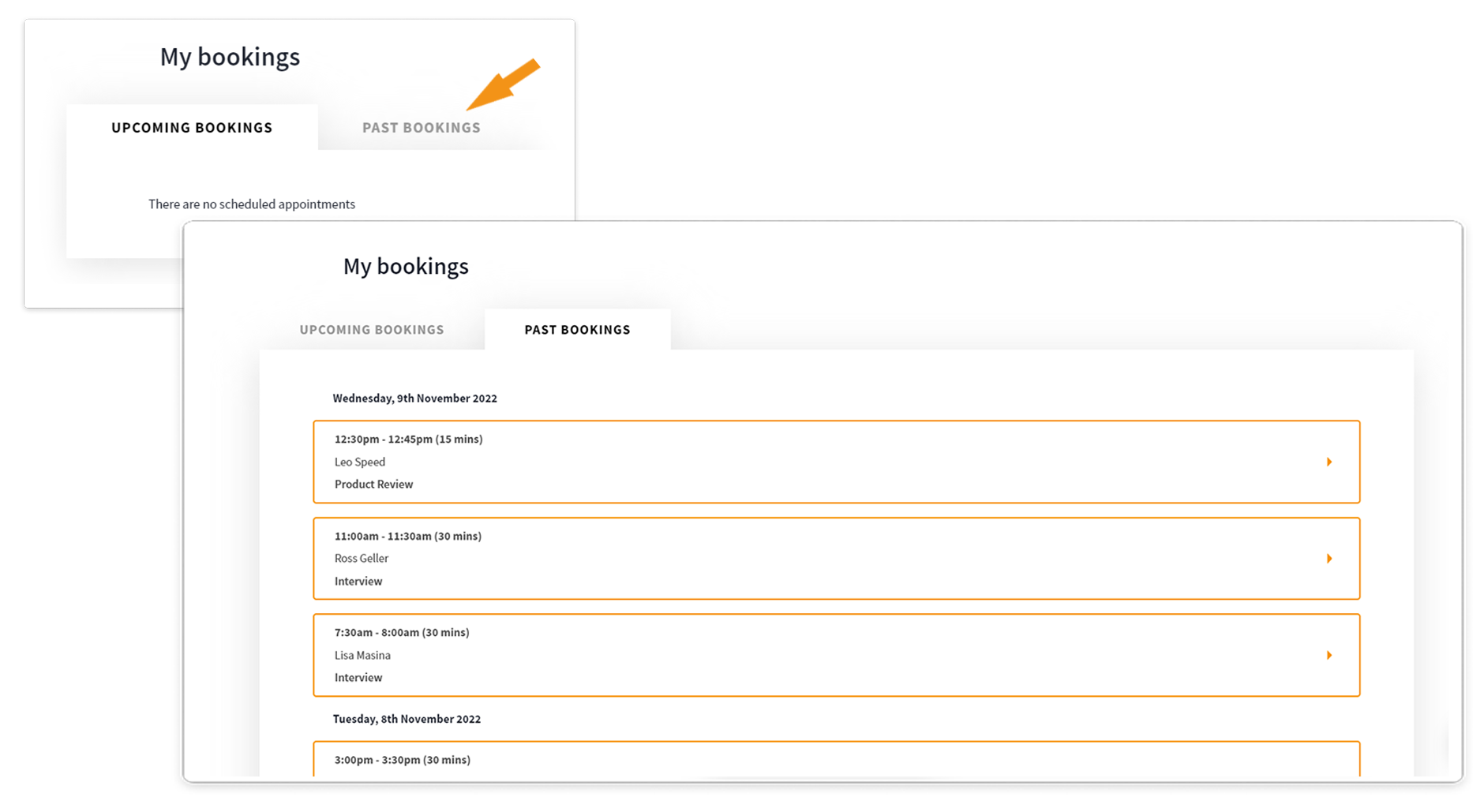
By going to your Bookings page, you should see a Past Bookings column to select. With this new column, you can easily find all of your previous appointments, in one list. Each will contain all the details from the appointment such as attendees’ names, email, location of the appointment, payments made, etc.
Benefits
-
Easily follow up after the meeting with their appointment details (email/phone number)
-
Add attendees to CRMs to manage and keep track of
-
Keep a record of the appointment at hand for future inquiries
-
Analyse and monitor your Booking activity
Learn more about it here

