Cancelling or rescheduling appointments can cause several problems, such as if changes are not communicated clearly and promptly, attendees may be confused or miss the event altogether, manually updating event invitations can be time-consuming, especially if there are many attendees or complex details to update and not mentioning Inconsistent or poorly managed changes can damage the organizer’s reputation and reduce the chances of attendees attending future appointments.
That’s why we made sure that users who use CatchApp on monday.com can easily monitor and manage the rescheduling or cancellation of their meetings directly on their monday boards.
When users input the fields using data points from CatchApp, they can now map links to reschedule or cancel the appointment from each confirmed appointment.
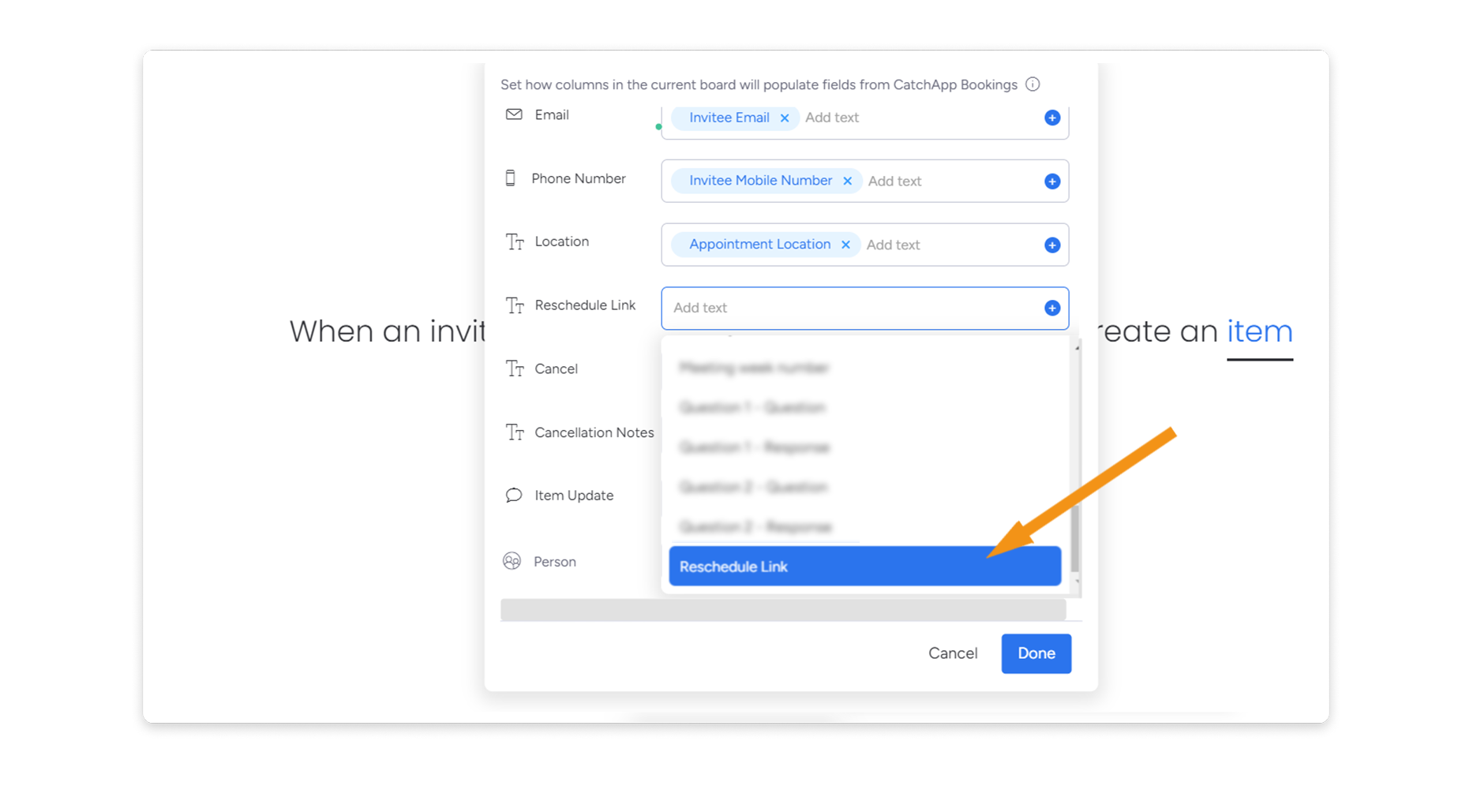
All it takes is < 1 min to apply and map to your board’s layout and fields:
Saving you an extra 5-10 minutes of set-up.
 This makes it easier to quickly update event invitations and keep attendees informed, reducing the likelihood of miscommunication or confusion. Additionally, it saves time compared to manual updates, allowing organizers to focus on other aspects of the event.
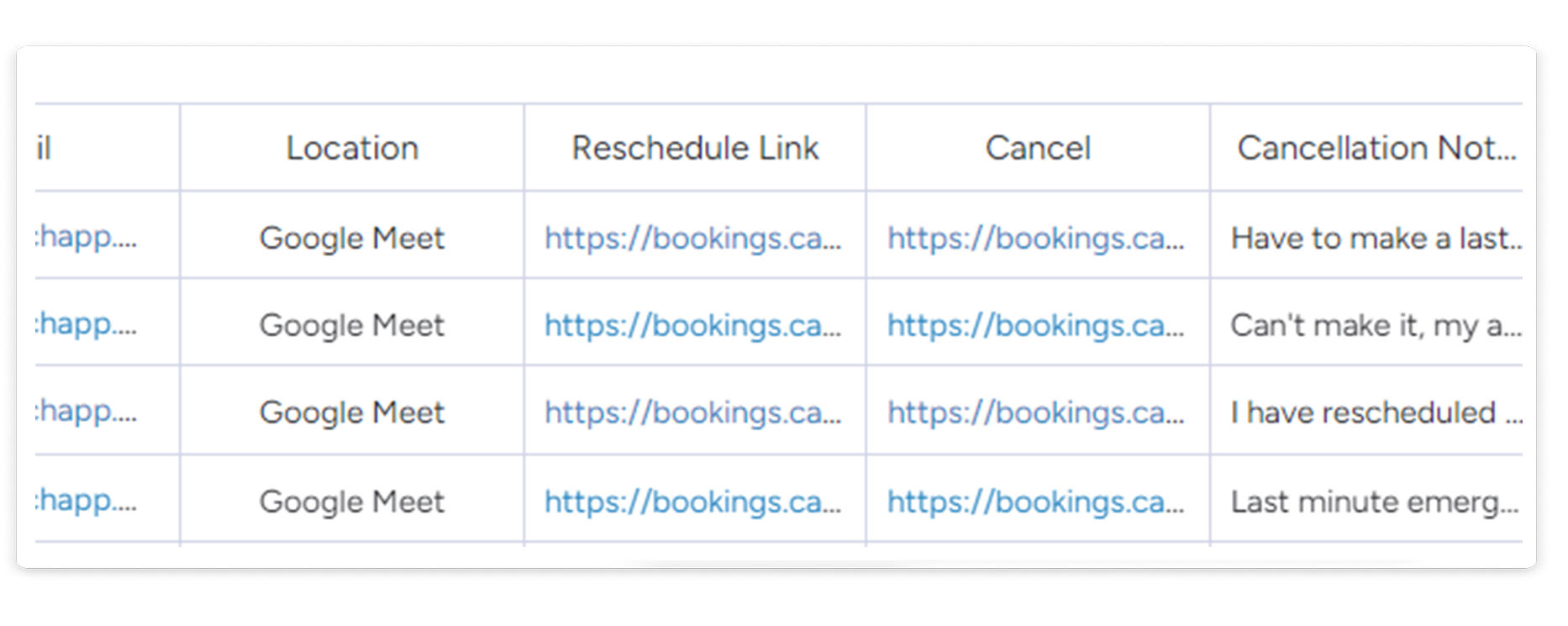
With this added, you can also find responses on why your attendees have cancelled the appointment as well to keep track on how to book them again for another meeting without relying on your emails.
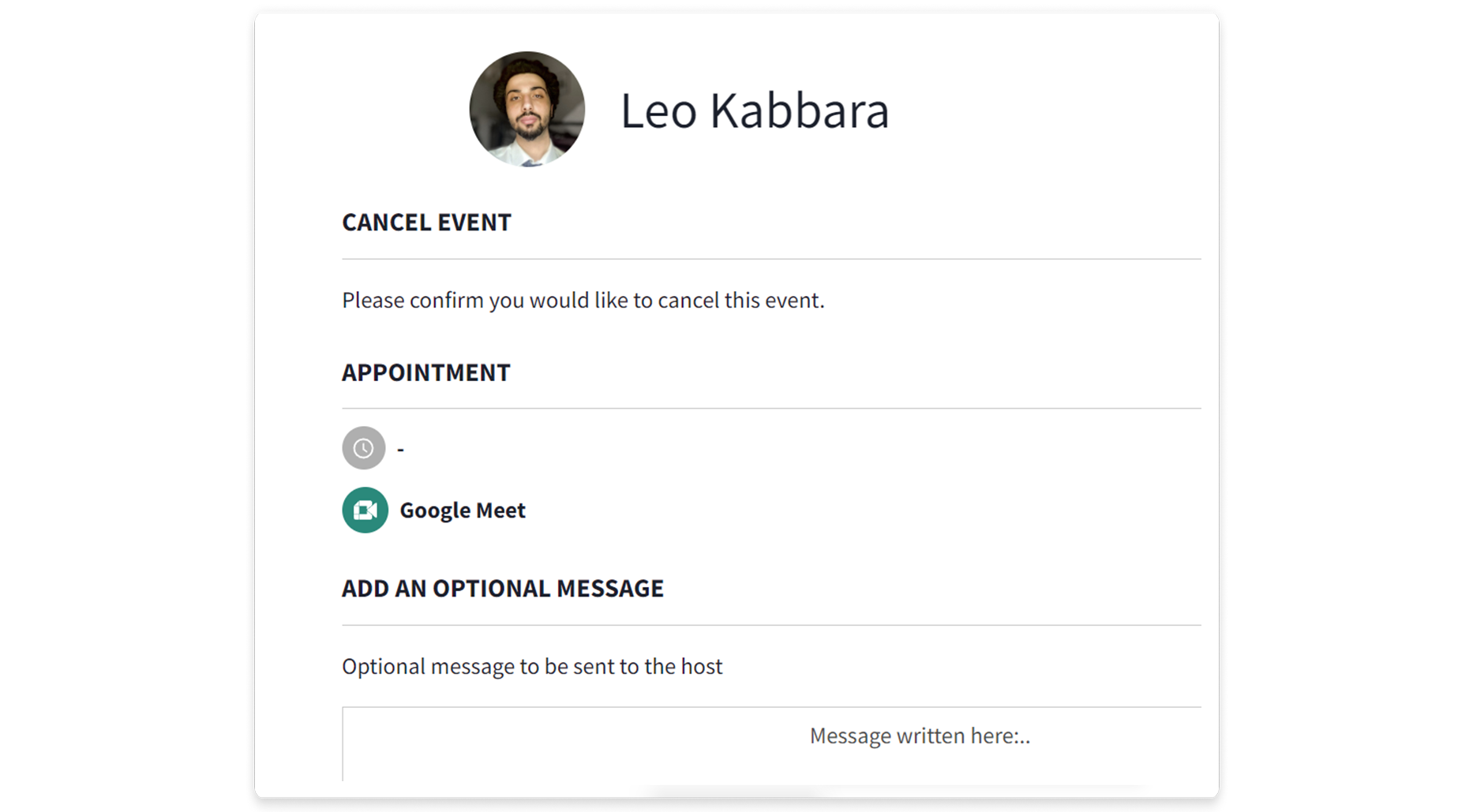
By using a cancellation link in Monday.com, you can streamline your schedule, reduce administrative work, and save time, allowing you to focus on what’s most important. With less administrative work to manage, you can stay focused on your monday boards and other tasks, helping you to work more efficiently and effectively
CatchApp alone saves professionals an estimated one month of time per year, think how much time you can save when you’ve got your workday’s schedule right in front of you. Now that we’ve joined forces with monday.com, your meetings and schedules can be viewed directly from your dashboard, streamlining the process, so all you have to do is turn up!
For more details on using monday.com and CatchApp Booking as a CRM platform, check out our blog here.