Your clients are busy people and so are you, so scheduling appointments effectively can be challenging; having to go back and forth to decide on a time and date that works best for both of you – it can take hours, potentially days before an appointment’s set. This is where CatchApp Bookings can really show off your event-types.
Event types are custom-made categories that you make to work with your availability and whichever service or appointments you offer. Each one can be set up independently, so you won’t get any overlaps in times if you don’t want there to be. All you need to do is add a title, a location, any notes or additional information needed from or for your clients, the duration, your availability for this appointment, your opening and closing times, whether pre-payment is required, and if you’d like your client to have the option for SMS text reminders. If you like the sound of that already, sign up here.
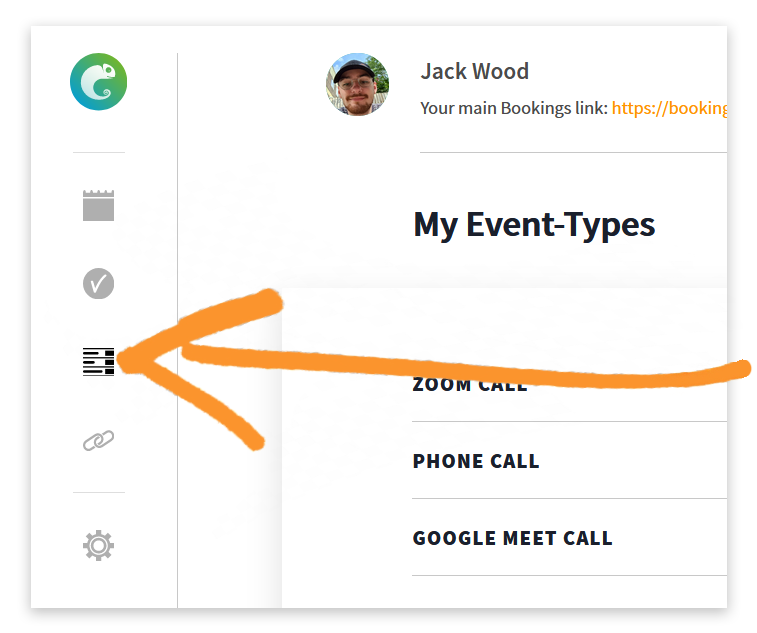 In order to start setting up your event types, simply navigate to the ‘My Event-types‘ tab on the sidebar of CatchApp Bookings, and click on the orange ‘New Event-Type’.
From here you can begin to set up your new event-type. There’s plenty of elements to your event-type that can really make it a hugely help; from setting locations around the world and including text reminders, to being able to edit it after creation just in case there’s another lockdown wherever you are and your lovely lunches have to be changed to pyjama lunch parties over Zoom.
{% video_player “embed_player” overrideable=False, type=’scriptV4′, hide_playlist=True, viral_sharing=False, embed_button=False, autoplay=False, hidden_controls=False, loop=False, muted=False, full_width=False, width=’1280′, height=’720′, player_id=’58468889646′, style=” %}
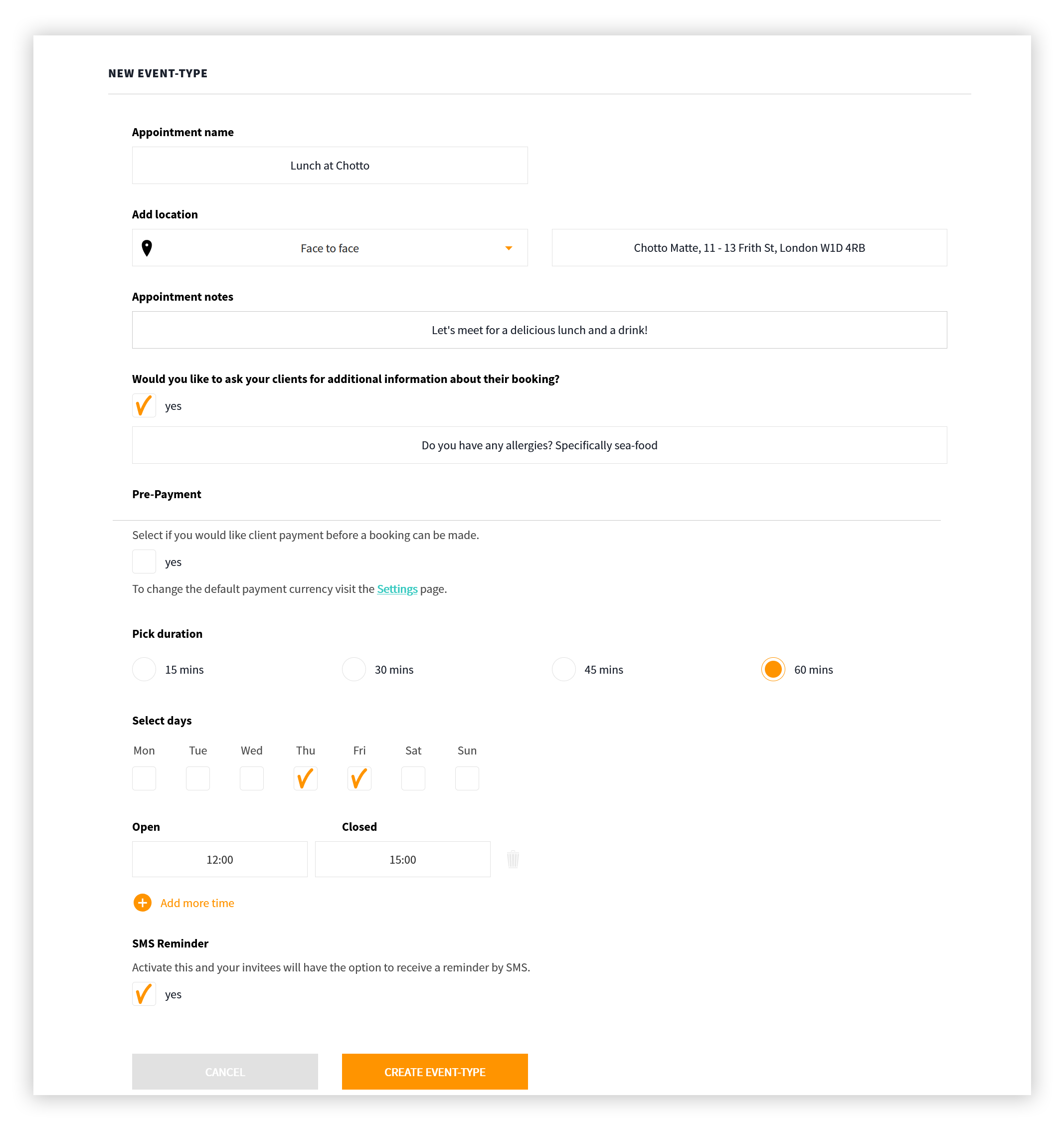
On your new event-type, the first step is to get your title sorted. Doesn’t have to be anything too fancy unless fancy’s your thing, but make sure it outlines what this service or appointment is.
Location, location, location. Select from our integrated video conferencing options of Google Meet, Zoom, Skype or Microsoft Teams, a phone call, or a good old fashioned face-to-face meet. If you chose face-to-face you can input the physical location which will be included in both the booking confirmation and any reminders afterwards. If you decide on any video conferencing options, our seemless integrations will create a scheduled room for you and your client to use when the time comes.
Simply sign up for a Stripe account and follow through with the instructions there. Once you’re set up, Integrate Stripe within Integrations and apply it to your Event Types to start taking payments!
Next you can select whether you’d like pre-payment via Stripe. When you check the box, you can then enter the amount that you charge as pre-payment.
Life in the business fast lane can be easy; with CatchApp Bookings’ your scheduling workflow can be the most efficient it’s ever been. Sign up here to get started.
CatchApp. Scheduling, genius.